Icloud Bypass Tool V8.1 For Mac
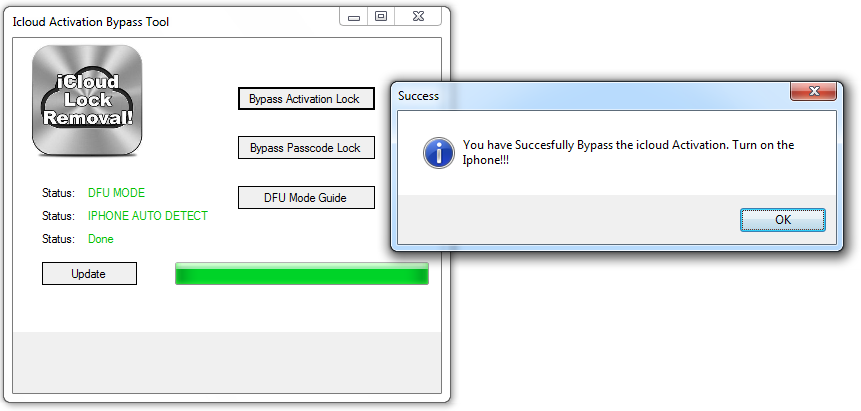
Open My iCloud Tool. Open My iCloud tool has gained popularity, has a software to unlock iCloud lock from iOS devices. It is a very simple tool that can be used to bypass iCloud activation lock. In addition, you can use it for all the latest iPhone models today. It introduces a quick feature to remove the activation lock from iCloud. ICloud Bypass with Checkra1n On Mac. Unlock Any iPhone On Mac - Easy Solution. Works on MacBook here. The most powerful iCloud Bypass ever.Compatibility: iPh. MAC OS Rocket tool Free Untethered bypass iCloud hello screen fix restart fix drain battery. I have rocket Bypasser on my mac but have a problems, the conecction.
The newly released checkra1n is making the rounds of jailbreak forums and social media over the past few days. But what exactly is checkra1n and how can you use it to jailbreak iPhone, thereby bypassing the iCloud Activation Lock? This article takes a close look at the application and its functionality.
Background on Checkra1n
Checkra1n has been developed based on a vulnerability in iOS called checkm8. The jailbreak is currently in beta and available for download, but you should be warned that it might crash your iPhone and brick it, so never use this tool on primary phone for such attempts. Even you are planning to do, make a backup first.
Checkra1n supposedly works for iOS 12.3 and higher and is semi-tethered. That means whenever you restart your iPhone, you'll have to hook it up to your PC or Mac to re-jailbreak it. The process is a little complicated if you're new to jailbreaking but, hopefully, you'll be able to follow the instructions provided here and get your iPhone jailbroken with checkra1n.
To bypass iCloud Activation Lock on iPhone, iPad or iPod Touch, the first step is to jailbreak the device to grant root permission. After that, use a set of combined commands to bypass the iCloud lock with the help of checkra1n. Before digging into the steps, please take a look at the FAQ section first, which lays down at the end of this post. It is risky attemp so be warned!
How to Jailbreak iPhone/iPad/iPod with Checkra1n Checksm8 Tool
As with all jailbreaks, there are preparatory steps to be carried out before you can do the actual jailbreak. Here are all the steps in sequence to jailbreak an iOS device:
Step 1: The first step is to download checkra1n dmg file on a macOS computer. No support yet for Linux or Windows, unfortunately.
Step 2: Once you have the file, install it by dragging the icon into the Applications folder they way you'd do for any Mac program. You will get a warning message saying 'check1n can not be opended because it is from an unidentified developer' when opening the app the first time. Go to System Preference -> Security & Privacy and click Open Anyway to remove the warning message.
Step 3: Connect your iPhone using the original USB to Lightning cable.
Step 4: You will now need to put your iPhone in DFU so the jailbreaking firmware can be installed.
Step 5: In DFU mode, the hack, also known as Magic Hax, will automatically jailbreak the device and boot it into a jailbroken mode.
Since the release is brand new, there may be issues when trying the above process. If it doesn't work the first time, try it again. And make sure that you enter DFU mode correctly, or the jailbreak can not be applied.
How to Bypass iCloud Activation Lock Using Checkra1n
After jailbreaking, there are a few more steps in order to bypass the iCloud lock. Follow the steps shown below to bypass the Activation Lock.
Step 1: Connect your iPhone once again to your Mac and open an instance of the Terminal app
Step 2: Install usbmuxd. To do this, first install Home Brew with the following command:
/usr/bin/ruby -e '$(curl -fsSL https://raw.githubusercontent.com/Homebrew/install/master/install)'
Step 3: Run the command to install usbmuxd: brew install usbmuxd
Step 4: In the open instance of Terminal, run the following command: iproxy 2222 44
Step 5: Now open another instance and run the following commands, one at a time:
ssh root@localhost -p 2222
mount -o rw,union,update /
rm -rf /Applications/Setup.app
Step 6: Now reboot the device and enter into DFU mode again. At this time, input the following commands.
uicache -a
killall backboardd
killall -9 SpringBoard
Once the iPhone is jailbroken and you have run all the commands above, you'll notice that the Activation Lock or iCloud Lock is no longer enabled, and you can access it like an unlocked device. If you encounter any issue with the above steps, please contact the team on Twitter. Below is a full video tutorial to bypass iCloud with checkra1n.
Frequently Asked Questions about Checkra1n Tool
1. Is checkra1n safe for my iPhone?
Any modification of the operating system is not recommended by Apple. Such modifications could lead to your warranty being voided and your device getting bricked, or inoperable.
2. What's the iOS version it support?
Including iOS 12.3, 12.4, 13.0, 13.1, 13.2.
3. What's the iOS device it support?
This jailbreak only works for iPhone 5s to iPhone X. It also works with some models of iPad. Currently, no support for iPad Air 2, iPad 5th Gen iPad Pro 1st Gen
3. Possible to bypass lockscreen passcode?
No. For screen passcode removal, please refer to this guide.
4. Can I use Checkra1n on Windows PC?
No. It only runs on macOS and it does not work on Windows PC and virtual machine. Other platform support is in progress. Please get tuned. Also, don't use this app on macOS Catalina.
Summary:
iCloud Activation Lock is a great mechanism to protect the data on iOS device when it gets stolen or lost. You should not remove or bypass this feature on a running device. Checkra1n is the backup plan when you forgot iCloud account or password. And it is 100% safe. So please use it with caution.
Related Articles
Unlocking activation lock with Checkra1n jailbreak bypass, is one of the most practical processes you can do, but if you don’t even know how to do it, CALM DOWN! In this article we have information on how to apply jailbreak On iPhone and iPad by downloading checkra1n for free for Mac, Windows or Linux, just by using one of the vps servers hosting.
iPhone Activation Lock Bypass Jailbreak New Updated
If you have a locked iCloud account and you’re looking for a method or tool to unlock it. Maybe Checkra1n software is a possible solution, this one offers you the benefit of iPhone Activation Lock Bypass Jailbreak, and with its latest update you can use it from mac, Windows and Linux computers.
Download CheckRain completely free for any pc if you connect to vps servers hosting, from there you can choose the version of the operating system.
What is Jailbreak?
The operating system of the Apple brand commonly known as iOSis a highly compartmentalized system. How bad? Apple establishes developer-specific regulations and only accepts apps that meet specific criteria on your iDevice. These conditions have caused discontent among some developers who have made the decision to infiltrate their code in order to break down the protections put in place by Apple and thus inject and make their applications available to users.
Jailbreak has evolved a little since its inception, but the idea is the same: open Apple’s system. And now this jailbreak is meant to install a new Apple Store: Cydia which corresponds to a new platform of apps not authorized by Apple.
Is Jailbreak legal?
Jailbreak was initially considered illegal under the Digital Millennium Copyright Act (DMCA). In 2011, this law was corrected: the Jailbreak of smartphones is now legally possible.
What is Checkra1n?

After knowing that it is jailbroken and how this procedure helps iCloud bypass 2020 on your iPhone and iPad, you should know that checkra1n is currently the most complete software to jailbreak your iDevice. In principle this tool was installed on Mac computers, although it is already possible to be able to run it from Windows and Linux.
Jailbreak Checkra1n iOS 13.5.1
One of the most outstanding points of using this tool is that no matter if you have iOS 13.5.1 Or iOS 12, Bypass Checkra1n Jailbreak is applied to all versions of this operating system.
How to Use CheckRa1n iCloud Bypass on iPhone 2020
Before you can show yourself how to apply CheckRa1n iCloud Bypass you have to download the software completely free for Mac, Windows or Linux by connecting to vps servers hosting. Although an iPhone is used as an example in the process, you can perform this procedure in the same way for any iPad model.
- Step 1 After installing it opens Checkra1n on your Pc.
- Step 2 Connect your iPhone or iPad to your computer and press «Starts
- Step 3 Press the «Next» button
- Step 4 You must put the device in Dfu Mode and in the same process press the «Start».
- Step 5 Checkra1n software will start Jailbreaking your iDevice.
Icloud Bypass Tool Download For Mac
- Step 6 Bypass is done and you can start using your device with signal.
iPad Activation Lock Bypass Jailbreak
Icloud Bypass Tool For Mac
As already mentioned CheckRain jaillbreak works the same way for iPad devices. In its various references such as the iPad Pro, Mini and Air. The procedure of remove icloud lock with jailbreak on these iDevices is the same as with iPhones. in the same way you can use checkra1n from any pc.
Icloud Bypass Tool Version 1.4
Download Free Checkra1n iCloud Bypass on Windows, Mac or Linux
You can try to download the Checkra1n Jailbreak Bypass tool by different methods, but on this website we want to recommend that you use the connection to a vps servers hosting to be able to access the software for free.
No matter which operating system your computer has, currently this program can be operated from Windows, Mac or Linux. When linking to one of the vps servers hosting.
Icloud Bypass Tool V8.1 For Mac Windows 10
Solution Error
Icloud Bypass Tool V8.1 For Macbook Pro
You may have encountered error 31 or any other inconvenience when using Checkra1n Jailbreak Bypass. Thanks to the latest fixes made to this tool this type of errors are no longer a problem.